A direct room request is easier to handle when it contains all the essentials. Blue Sea’s website helps you prepare your dates, guest count and preferred room, then opens Zalo or WhatsApp so you can contact reception. Here is how the process works.
1. Choose your dates and guest count
Use the home-page search bar or Booking & Contact to enter check-in, check-out and the number of guests. Check-out must be after check-in. If your plans are provisional, explain that in the notes.
Include the number and ages of any children. For a group, reception needs the actual guest count, not just the number of rooms you hope to book. These details help confirm the arrangement and any additional charges.
2. Explore the room before requesting it
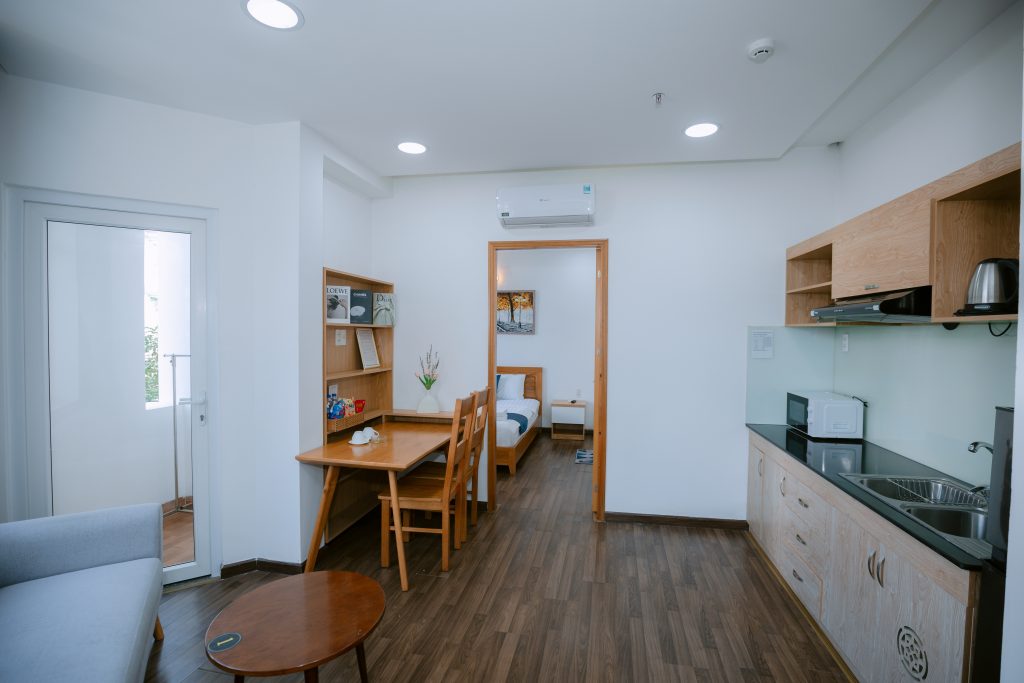
Open a room from the room collection to see its real gallery, floor area, beds and amenities. Your selected dates and guest count are carried through the browsing flow in the same browser.
If you are undecided, read the Standard, Superior and Studio comparison or our apartment guide. You can mention an alternative category in the notes.
3. Review your request
Enter your name, phone number and any notes, then select “Review request”. Check the dates, guest count and room carefully. If you edit the details afterwards, review the updated request before sending it.
- Your name and contact number.
- Check-in, check-out and number of nights.
- Preferred room and actual guest details.
- Specific needs such as a balcony, kitchenette or expected arrival time.
4. Select Zalo or WhatsApp
Using Zalo
The Zalo button copies your reviewed request and opens Blue Sea’s contact. Paste the text into the conversation, check it and press Send yourself. If automatic copying is unavailable, follow the manual-copy instructions on the page.
Using WhatsApp
The WhatsApp button opens the conversation with your request prepared in the message field. Check the text and press Send in WhatsApp. Opening an app or browser conversation does not by itself mean a message has been sent.
If the app is not installed or you are not signed in, the device may offer a browser or installation option. You can return to the review to copy the text and use another contact method.
5. Receive confirmation from reception
A website request begins a conversation; it is not an automatic reservation confirmation. Reception checks the dates, room arrangement, rate and other requests. Before committing, ask for a clear response covering the room, guest count, total price, inclusions and modification or cancellation conditions.
Keep the hotel’s confirmation for arrival. If the dates or guest numbers change, send the update and obtain a new confirmation.
Prefer to call?
Call +84 935 178 978 with your dates and room preferences ready. A written follow-up for special requests makes them easier to check. You can also start with Booking & Contact and choose the messaging service that works best for you.
Room details on this website help you plan ahead. Reception confirms rates, guest numbers and specific requests for your chosen travel dates.
Talk to Blue Sea